Back to: ASIS PSP – Preparation Course
Lesson 4.1: Access Control Systems (ACS)
Objective: By the end of this lesson, you will be able to distinguish between the three factors of authentication, evaluate the security differences between Proximity (125kHz) and Smart Cards (13.56MHz), explain the difference between Wiegand and OSDP protocols, and interpret Biometric error rates.
1. The Core Logic: Identification vs. Verification
Before discussing hardware, you must understand the logic process.
- Identification (1-to-Many): “Who are you?”
- The user presents a biometric (e.g., face scan) and the system searches the entire database to find a match.
- Computationally heavy.
- Verification (1-to-1): “Are you who you claim to be?”
- The user claims an identity (swipes a card or enters a PIN) and then provides a biometric to prove it. The system compares the live scan only against the template stored for that specific user ID.
- Faster and more accurate.
2. The Three Factors of Authentication
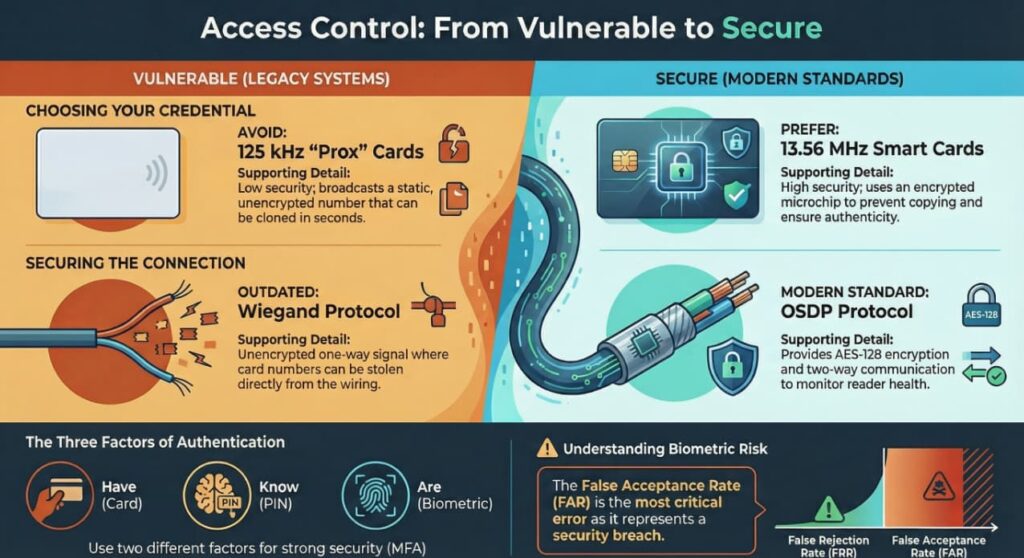
To grant access, we authenticate users based on three factors. Strong security (Multi-Factor Authentication or MFA) requires using at least two different factors.
- Something You Have: A credential (Card, Key, Phone).
- Something You Know: A secret (PIN, Password).
- Something You Are: A physical characteristic (Fingerprint, Retina, Iris).
Exam Trap: Using a Card + a Key is not MFA. That is “Two things you have.” Correct MFA: Card (Have) + PIN (Know).
3. System Architecture (The Hardware Flow)
You must understand how the signal travels. The decision to open the door is typically made by the Controller, not the Server.
- Credential: Holds the data.
- Reader: Energizes the card, reads the data, and sends it to the controller. (The reader is usually “dumb”).
- Controller (Panel): The “Brain.” It stores the database of authorized users locally. It receives the ID, checks its memory, decides “Yes/No,” and triggers the lock.
- Why? If the network goes down and the Server is unreachable, the Controller can still open doors (Distributed Intelligence).
- Server/Database: Used for programming and reporting (History logs).
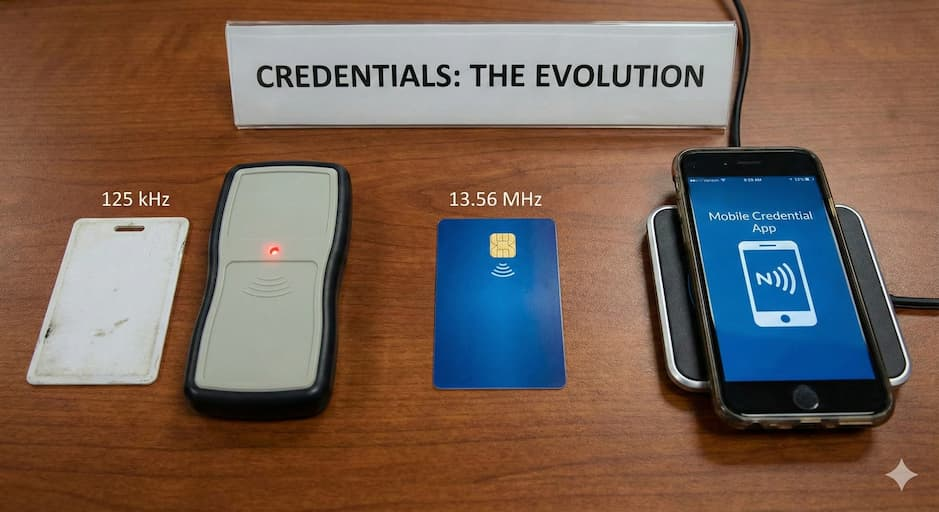
4. Credentials: The Evolution
The exam focuses on the security vulnerabilities of older tech versus newer tech.
A. 125 kHz Proximity (“Prox”)
- Tech: Older, low-frequency technology.
- Security: Low. The card simply broadcasts a static number. It has no encryption.
- Vulnerability: Can be easily cloned/copied in seconds using a cheap device found online.
B. 13.56 MHz Smart Cards (iCLASS, MIFARE)
- Tech: High-frequency. Contains a microchip with memory.
- Security: High. Supports mutual authentication (the reader challenges the card, the card responds) and encryption.
- Capability: Can store data (e.g., a cafeteria balance or biometric template) directly on the card.
C. Mobile Credentials (NFC / BLE)
- Uses a smartphone as the credential via Bluetooth (BLE) or Near Field Communication (NFC).
- Advantage: Users rarely lose their phones compared to plastic cards.
5. Communications Protocols: Wiegand vs. OSDP
How does the Reader talk to the Controller?
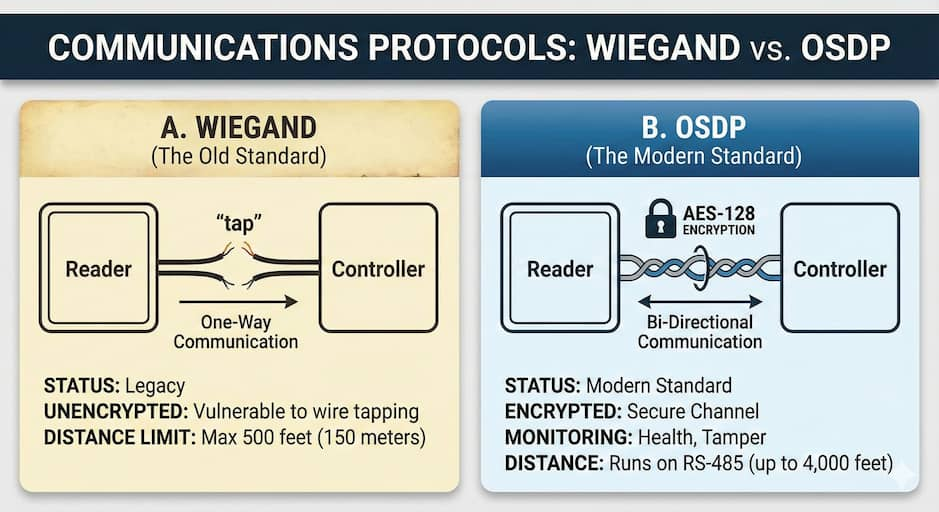
A. Wiegand Protocol (The “Old Standard”)
- Status: Legacy (but still widely installed).
- Flaws:
- Unencrypted: Anyone can tap the wires and steal card numbers.
- One-Way Communication: The controller cannot talk back to the reader (e.g., to flash a light or update firmware).
- Distance Limit: Max 500 feet (150 meters).
B. OSDP (Open Supervised Device Protocol)
- Status: The modern standard (ASIS Recommended).
- Benefits:
- Encrypted: Uses AES-128 encryption (Secure Channel).
- Bi-Directional: The controller can monitor the reader’s health (Is it tampered with? Is it offline?).
- Distance: Runs on RS-485 wiring (up to 4,000 feet).
6. Biometrics: Measuring Performance
Biometrics are probabilistic, not absolute. We measure their accuracy using error rates.
The Errors
- False Rejection Rate (FRR) – Type I Error: The system rejects a valid user. (“The CEO is locked out”).
- Impact: Inconvenience.
- False Acceptance Rate (FAR) – Type II Error: The system accepts an intruder. (“The spy gets in”).
- Impact: Security Breach. (This is the worse error).
The Crossover Error Rate (CER)
The point where the FRR and FAR curves intersect.
- The Metric: The lower the CER, the more accurate the system.
Common Biometric Types
- Fingerprint: Most common, but issues with dirt/cuts.
- Iris Scan: analyzing the colored ring of the eye. Extremely accurate and stable over a lifetime. (Do not confuse with Retina scan, which scans blood vessels and is intrusive/obsolete).
- Facial Recognition: Convenient (touchless), but sensitive to lighting.
7. Anti-Passback (APB)
A software feature designed to prevent Passback (passing your card back to a friend after you enter).
- Logic: The user must “swipe in” to be allowed to “swipe out.” If you are “in” the system, your card will be rejected at the entry reader until you exit.
- Hard APB: Access is denied immediately.
- Soft APB: Access is granted, but an alarm is flagged in the system for the guard to investigate. (Less disruptive to flow).
Real world tip: The reader says “Read range 4 inches.” In reality, if you mount that reader on a metal door frame, the metal absorbs the frequency and cuts the range in half.
Tip: Always use a “plastic spacer” or backplate between the reader and a metal mullion to preserve read range.